Mesh Decals
Mesh decals (also called floaters) are a different approach to decals where the decal texture is mapped directly onto mesh geometry rather than being projected. This technique is useful for adding surface detail to meshes like dirt, scratches, or markings that need to follow the mesh topology precisely.
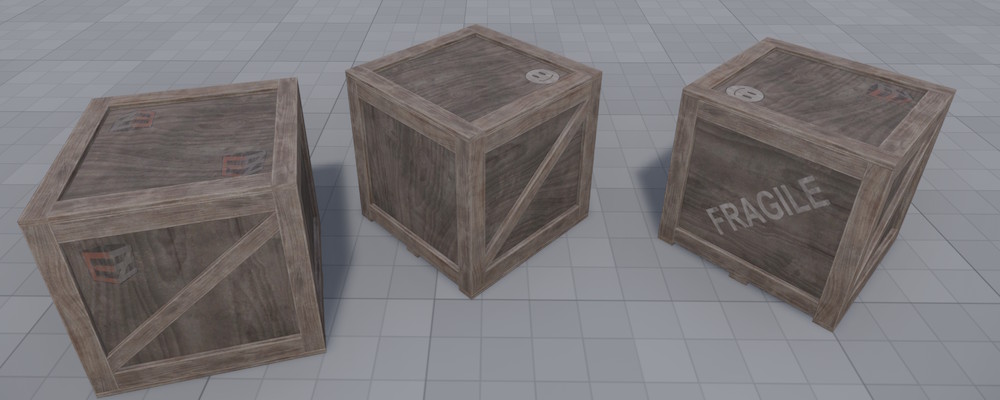
Unlike regular decals which project a texture onto geometry, mesh decals:
- Follow the mesh geometry exactly without projection distortion
- Support multiple decal textures per mesh (up to 8 slots)
- Can have random texture variants per instance
Mesh Decal Component
Add a Mesh Decal Component to a game object that has a mesh component. The component manages decal textures and communicates with the runtime decal atlas.
The size of the runtime decal atlas texture is configured with the CVar Rendering.Decals.DynamicAtlasSize. This atlas is shared with spot light cookies. If many different textures are in use at the same time, a larger atlas may be necessary.
Component Properties
Decals: An array of decal definitions. Each entry has:
Index: The decal slot (0-7). Mesh UVs determine which slot applies to each part of the mesh.BaseColorTexture: The texture asset to use for this decal.
Multiple entries can share the same slot index. When this happens, a random variant is selected per game object instance, providing visual variety.
Mesh Requirements
To use mesh decals, the mesh must have UV coordinates that encode which decal slot applies to each surface region. The integer parts of the UV coordinates determine the slot index. For example, a UV of (1.5, 2.3) would use slot indices derived from (1, 2).
Shader Setup
Mesh decals require a shader that:
- Uses
USE_VERTEX_DEPTH_BIASto prevent z-fighting with the underlying surface - Samples from the runtime decal atlas using the transformed UV coordinates
- Implements
GetVertexDepthBias()to return the appropriate depth offset
The MeshDecalMaterial.ezShader in the engine provides a reference implementation.
Depth Bias
The DepthBias material parameter (default: 1.0) controls how far the decal geometry is pushed toward the camera. Increase this value if you see z-fighting between the decal and the surface.