Directional Light Component
The directional light component adds a light source that illuminates the entire scene from one direction. This is typically used for sun light. Since directional light affects everything, it isn't possible to cast shadows everywhere. Instead, shadows are restricted to a region around the camera and objects that are too far away from the camera, won't cast shadows.
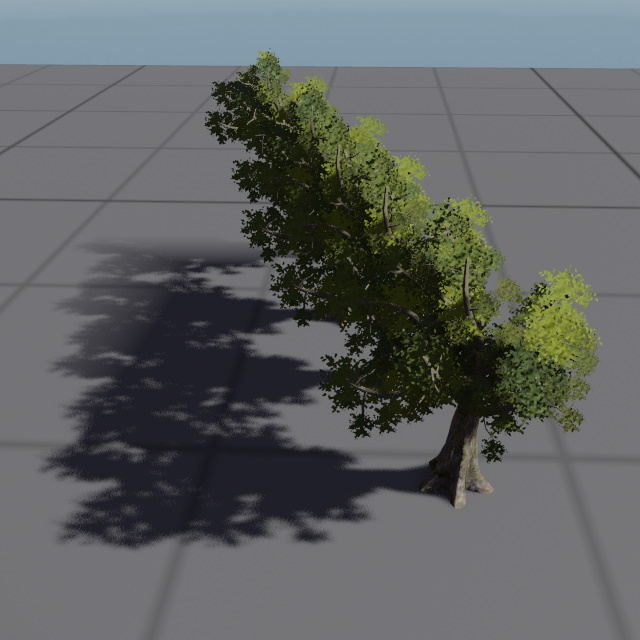
You can use multiple directional light sources, for example if you want directional ambient light, however, for performance reasons only one directional light should cast shadows.
Component Properties
See this page for shadow related component properties.
LightColor, Intensity: The color and brightness of the light.SourceAngle: The angular diameter of the light emitter disc (the "sun disc") as seen from the ground, in degrees. Clamped to 0–10°. A non-zero value produces softer specular highlights via area-light shading, at a higher shader cost than a zero angle. Has no effect on attenuation since directional lights are treated as infinitely far away. For reference, the real sun subtends approximately 0.53°. Values above a few degrees are physically implausible but may be used for stylised looks.ScreenSpaceShadows: When enabled, the directional light will additionally use screen space shadows to produce contact shadows and improve self-shadowing on small objects. Requires theScreenSpaceShadowPassto be present in the render pipeline.NumCascades: How many shadow cascades to use. The more cascades are used, the crisper shadows close to the camera become. However, each cascade costs additional performance.MinShadowRange: How far from the camera the light should cast shadows. A low value means that only objects a short distance away will cast shadows, and objects farther away won't.Note:
The shadow cascades are distributed based on this value. When the camera's field of view (FOV) exceeds 45 degrees, the final cascade may extend beyond the configured distance, utilizing the available shadow map information across a wider range to optimize performance. This means actual shadow coverage often exceeds
MinShadowRangeat higher FOV values.When implementing zoom features that reduce the camera FOV, you may notice shadows appearing to have reduced distance at lower FOV settings. To address this, configure
MinShadowRangefor your lowest expected FOV. The shadows will then extend further at higher FOV values. Alternatively, you can dynamically adjust the shadow range when zooming, which is a common approach in games but requires a game-specific implementation.FadeOutStart: At what fraction of the shadow range it should start to fade out. For instance, if theMinShadowRangeis set to 10 meters, andFadeOutStartis set to 0.8, then the shadows will start to fade out at a distance of 8 meters.SplitModeWeight: Controls how the shadow range is divided among the cascades. A value of0distributes cascades evenly (linear split), while a value of1uses a fully logarithmic split that concentrates more cascades near the camera for sharper close-up shadows. Values in between blend the two modes. Increase this value to improve shadow quality near the camera at the cost of quality in the distance.NearPlaneOffset: Extends the shadow camera's near plane behind the main camera. This ensures that objects located just behind the viewer can still cast shadows into the visible scene. Increase this value if you notice missing shadows from objects that are slightly outside the camera's view.