Asteroids Sample
This sample is a small implementation of the classic Asteroids game. It demonstrates how to implement game rules with custom components in a C++ plugin, and how to drive a UI from a blackboard.
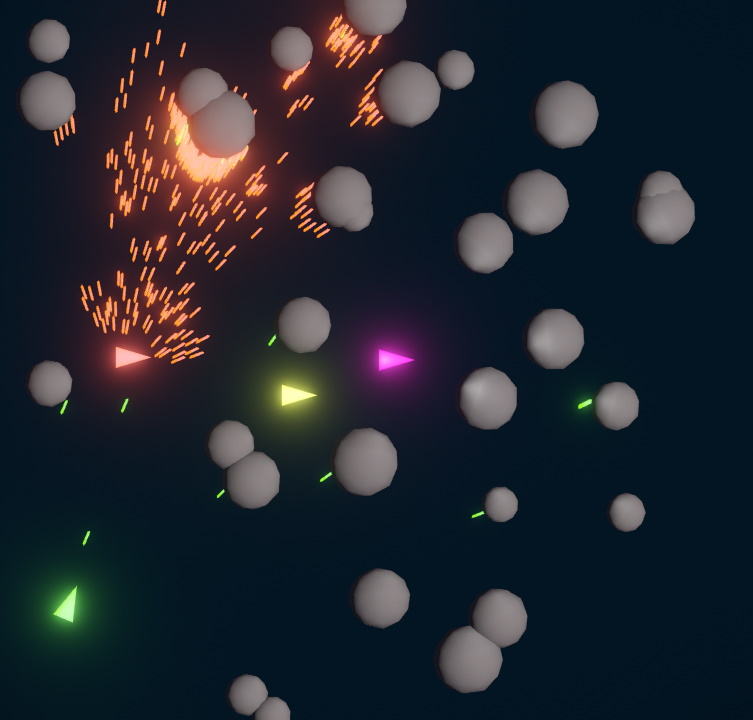
How to Run the Game
To run this sample, you have to first compile the code for it. Select Project > C++ Project > Compile Plugin. Make sure the compilation step succeeded. If it fails, select Project > C++ Project > Setup C++ Plugin... and make sure the solution can be generated successfully.
Afterwards open Scenes/Main.ezScene and run the scene.
Controls
| Action | Keyboard | Controller |
|---|---|---|
| Turn | A / D or arrow keys |
Left stick |
| Thrust | W or arrow up |
Right trigger |
| Fire / Start / Respawn | Space |
A button |
After losing a life, the ship only returns to the center of the screen when you press the fire button, so you can wait until it is safe.
Destroyed asteroids sometimes leave behind a power-up. The sphere gives a shield that absorbs one hit, and the ring makes the ship fire three projectiles at once for a short while.
Project
The editor project belonging to this sample can be found under Data/Samples/Asteroids.
The models are taken from Quaternius. The sounds and the star background were generated procedurally.
Code
All game code is in the AsteroidsPlugin:
AsteroidsGameComponentimplements the rules: waves, collision detection, score and lives. The scene contains one instance of it, which references the prefabs it spawns and the sounds that belong to the game as a whole. It also shows how to spawn prefabs from code.ShipComponent,AsteroidComponent,ProjectileComponentandPickupComponentmove their objects and hold the respective state. What belongs to one kind of object, such as its explosion or sounds, is selected on its prefab. The ship also reads the input actions, which are configured in RuntimeConfigs/InputConfig.ddl.AsteroidsGameStateonly selects the scene to load.
The objects move in the XY plane and are treated as circles, so the sample does not use a physics engine.
The HUD does not require any UI code. AsteroidsGameComponent writes values such as the score and the current game phase into a local blackboard component. An RML UI canvas component on the same object has Autobind Blackboards enabled, and UI/Hud.rml references the blackboard entries through data binding. All texts are in the RML file, which also decides what to show in which phase.