RmlUI Canvas 3D Component
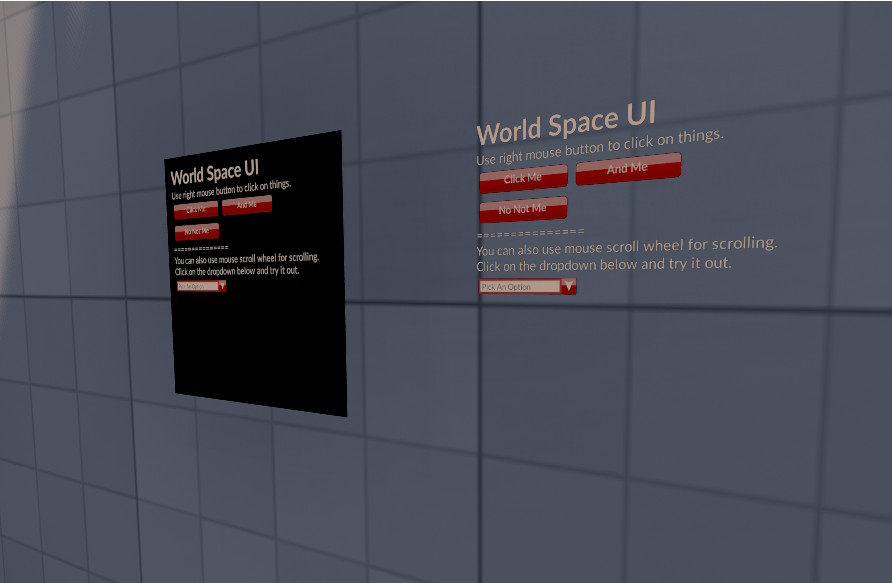
The RmlUi Canvas 3D component (ezRmlUiCanvas3DComponent) renders an RmlUi document into a texture that is applied to a mesh in the scene. This allows UI panels to exist as physical objects in the 3D world — for example interactive terminals, noticeboards, or in-world displays.
Component Properties
For the base properties shared with the 2D canvas (Rml Resource, Autobind Blackboards, Send Event Message, On Demand Update), see the RmlUI Canvas 2D Component.
3D-Specific Properties
Proxy Mesh: The mesh asset used for hit-testing when raycasting input onto the panel. This should match the visible geometry of the panel surface. See Interaction below.
Base Material: The material applied to the rendered mesh. The UI texture is injected into this material via the Texture Slot Name parameter.
Material Index: Which material slot on the mesh to replace when applying the UI texture. Defaults to 0.
Texture Slot Name: The name of the texture parameter in the Base Material that should receive the rendered UI texture (e.g. BaseTexture).
Texture Size: The pixel resolution of the render target used to render the UI. Higher resolutions give a sharper result on large panels but cost more GPU memory.
Dpi Scale: A scaling factor applied to the RmlUi document layout, allowing the UI to be authored at a standard resolution and then scaled up for high-resolution textures. Defaults to 1.0.
Clear Stale Input: When enabled (the default), mouse hover and press state is automatically cleared when no fresh RaycastInput() call arrives for that frame. This prevents phantom hover effects when the player looks away from the panel.
Interactive: When enabled (the default), the panel accepts raycasted input. Disable this to make the panel a non-interactive display.
Interaction
Input is delivered to the 3D canvas via raycasting. Call RaycastInput() with a world-space ray origin and direction (e.g. from the player's line-of-sight or crosshair), along with an ezRmlUiInputSnapshot containing the current button state. The component intersects the ray against the Proxy Mesh to compute the UV coordinate, maps that to a canvas-space position, and forwards the result to the RmlUi context.
A ready-made helper is provided by ezRmlUiCanvas3DInteractionExampleComponent. This component performs a physics raycast each frame (using a configurable collision layer and maximum distance) and calls RaycastInput() on the canvas component found on the hit object. It is intended as a reference implementation — copy and adapt it for your own interaction logic.